How to Hire a WordPress Developer in 2026: Beyond Plugins and Themes
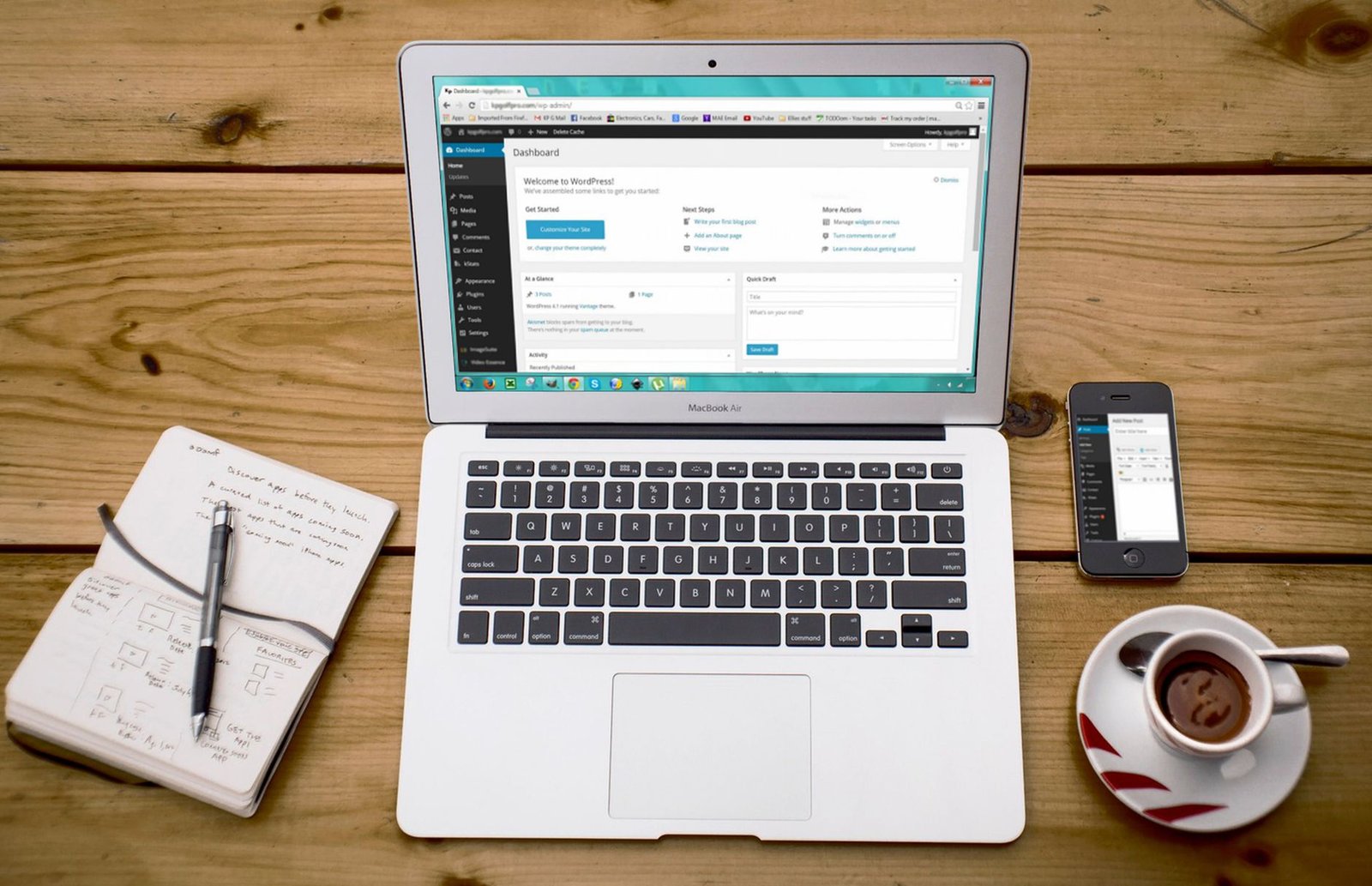
Most businesses searching for a WordPress developer in 2026 are not actually looking for someone who knows WordPress. They are looking for someone who can solve a business problem that happens to live inside WordPress. Those are two very different hires, and confusing them is the single most expensive mistake in this market.
This guide draws on my experience leading Web Engineering and AI Automation at AKIJ iBOS and shipping 300+ websites and web apps for clients across the USA, UK, Australia, and South Asia.
A large share of consulting calls start the same way: a founder paid someone $2,000 to "build a WordPress site," and three months later the site is slow, the checkout breaks on mobile, and the "developer" is sending them YouTube tutorials as a fix.
This guide is about how to hire a WordPress developer who can actually do custom work, how to tell them apart from plugin assemblers, what to ask in the interview, and what fair pricing looks like in the USA, Canada, and Australia right now.
The Core Problem: Plugin Assemblers vs Custom Developers
WordPress powers a large share of the web, commonly cited figures put it around 40% of all websites, though the exact number shifts month to month (W3Techs). The barrier to entry is nearly zero. Anyone can install a theme, drag in Elementor, add WooCommerce, and call themselves a WordPress developer. That is fine for a five-page brochure site. It falls apart the moment you need anything custom.
Here is how to separate the two groups when screening candidates.
| Signal | Plugin Assembler | Custom Developer |
|---|---|---|
| First instinct on a new requirement | "Is there a plugin for that?" | "Do we need a plugin, or can this be 40 lines of code?" |
| Understands hooks and filters | Vaguely | Yes, fluently |
| Can read a plugin's source to debug it | No | Yes |
| Handles a database migration | Breaks the site | Plans and tests it |
| Performance approach | Installs a caching plugin | Profiles queries, checks hosting, then caches |
| Security approach | Installs Wordfence | Reviews input sanitization and nonces in custom code |
| Comfortable with Git | Sometimes | Always |
| Can explain why they chose a theme | "It looked nice" | "It uses block patterns and has a clean template hierarchy" |
The assembler is not a bad person. They are just the wrong hire for a project with custom logic, integrations, or performance requirements. Paying assembler rates for assembler work is fine. Paying assembler rates and expecting custom work is where projects die.
Define the Job Before You Post It
Writing a job post in ten minutes and then spending three weeks interviewing the wrong people is a common pattern. The job post is not the bottleneck. The thinking behind it is.
Before you talk to anyone, write down four things:
- The business outcome. Not "build a website." Something like "cut checkout abandonment by 15% by speeding up the WooCommerce cart on mobile."
- The custom surface area. Which parts are standard (blog, contact form) and which parts are truly custom (subscription logic, CRM sync, a custom calculator)?
- The integrations. Stripe, HubSpot, a legacy ERP, an AI service, a booking system. List them.
- The timeline and the constraint. Launching before a trade show? Migrating from a dying platform? These change who you should hire.
A developer who reads that brief can tell you in fifteen minutes whether they are a fit. A developer who cannot read it is not the developer you want.
The Three Hiring Models (And When Each Makes Sense)
There is no universal best answer here. It depends on your budget, your internal team, and how strategic WordPress is to your business.
| Model | Best For | Typical Cost | Pros | Cons |
|---|---|---|---|---|
| Freelancer | One-off builds, small budgets, clear scope | $25 to $120/hr | Flexible, direct communication | Availability risk, no backup if they vanish |
| Agency | Multi-phase projects, ongoing support, brand-sensitive work | $75 to $200/hr | Team coverage, process, accountability | Higher cost, slower decisions, account managers in the middle |
| In-house hire | WordPress is core to revenue, long roadmap | $70K to $140K/yr (US) | Full control, institutional knowledge | Expensive, hard to hire well, idle time between projects |
For most small and mid-sized businesses, the sweet spot is a senior freelancer or a small specialized agency for the initial build, plus a maintenance retainer afterward. Pure in-house only makes sense if you have a continuous WordPress roadmap, not a one-time launch.
If you are weighing a custom build against off-the-shelf components, a breakdown of custom WordPress plugin vs off-the-shelf plugin costs is a useful companion read before scoping the work.
Where to Find WordPress Developers (USA, Canada, Australia)
The platform you use shapes the quality of candidates you see. Here is an honest read on the main options.
- Upwork and Toptal. Huge volume on Upwork, which means you must filter hard. Toptal screens more aggressively but costs more and takes longer to onboard.
- Codeable. WordPress-only, vetted network. Higher rates, but the vetting removes most of the assembler problem.
- LinkedIn. Best for in-house hires and for finding people who already work at companies you respect.
- Local meetups and WordCamps. Underrated. A developer who shows up to WordCamp Sydney or WordCamp Toronto on a Saturday is usually serious about the craft.
- Referrals from peers. Still the highest-signal channel. Ask other founders who built their site and whether they would rehire.
For USA, Canada, and Australia specifically, time zone overlap matters more than people admit. A developer eight hours off your working day can still be great, but every clarification costs a day. If your project needs tight iteration, prioritize someone within a three to four hour overlap.
If you are hiring across borders, this founder's guide to hiring a web developer in New Zealand covers the regional nuances that apply well beyond NZ.
WordPress Developer Skills to Actually Test
Resumes lie. Portfolios lie less, but they still lie. Here is what to actually test when screening candidates.
Must-have technical skills
- PHP at a working level. Not framework-level expertise, but they should read and write PHP without copying from Stack Overflow every time.
- The WordPress template hierarchy. Ask them what template WordPress uses for a custom post type archive. If they hesitate, that is a tell.
- Hooks: actions and filters. Ask for a real example where they used a filter to change behavior without touching core or a plugin.
- Custom post types and taxonomies. Registered in code, not via a plugin, for anything that matters.
- The REST API and WP-CLI. Modern workflows depend on both.
- Git. Non-negotiable in 2026.
- Security basics. Nonces, sanitization, escaping, capability checks.
Nice-to-have skills
- Block editor (Gutenberg) development. Custom blocks, block patterns, theme.json.
- Headless WordPress. Using WordPress as a CMS with a Next.js or React front end. This is increasingly common for performance-critical sites.
- WooCommerce at depth. Custom checkout flows, subscriptions, tax logic.
- DevOps basics. Docker, staging environments, CI/CD.
- AI integrations. Connecting WordPress to LLM APIs, MCP servers, or automation platforms. This is where the market is heading fast.
A quick practical test
Give the candidate a small sandbox and ask them to do one thing: register a custom post type called case_study with a custom taxonomy industry, and expose both via the REST API. That is a 30-minute task for a real developer and a two-hour Stack Overflow adventure for an assembler.
// A clean answer to that test looks roughly like this.
add_action( 'init', function () {
    register_post_type( 'case_study', [
        'public'        => true,
        'show_in_rest'  => true,
        'supports'      => [ 'title', 'editor', 'thumbnail' ],
        'has_archive'   => true,
    ] );

    register_taxonomy( 'industry', 'case_study', [
        'public'       => true,
        'show_in_rest' => true,
        'hierarchical' => true,
    ] );
} );
If they write something like this and can explain every line, you are talking to a developer. If they reach for a plugin called "Custom Post Type UI" for a one-off CPT, they might still be fine for simpler work, but you have learned something.
WordPress Developer Interview Questions That Reveal Real Skill
A short list of questions that separate signal from noise. These work whether you are technical or not, because the follow-up is always "walk me through that."
- Tell me about the most complex WordPress site you have built. What was custom about it? Listen for specifics: custom plugins, integrations, migration pain.
- How do you decide between a plugin and custom code? Good answers weigh maintenance, security surface area, and future flexibility.
- What is your process for debugging a slow WordPress site? Look for query profiling, hosting checks, and object caching, not just "install WP Rocket."
- How do you handle a WordPress core update that breaks a custom feature? Look for staging environments and rollback plans.
- Describe a time you inherited a messy codebase. What did you do first? The best answer usually involves a backup, a staging clone, and a code audit before touching anything.
- How do you handle security in custom code? Nonces, sanitization, escaping, capability checks. If they cannot name at least three, that is a red flag.
- What is your testing approach? Unit tests are rare in WordPress, but a developer should at least describe manual QA and staging.
For non-technical founders: you are not grading the technical accuracy. You are grading whether they answer with specifics or with vague confidence. Vague confidence is the assembler's tell.
Cost of Hiring a WordPress Developer in 2026 (USA, Canada, Australia)
Methodology: the ranges below are directional estimates compiled from publicly listed freelancer profiles, agency rate cards, and salary data available at the time of writing, including BLS Occupational Employment and Wage Statistics for US web developers (May 2024 release), Glassdoor salary aggregates for Canada and Australia, and Upwork's published freelance rate benchmarks. They are not quotes. Rates shift with seniority, stack, and demand, always verify current numbers against BLS, Glassdoor, Upwork, or local market data before budgeting.
| Region | Junior Freelancer | Senior Freelancer | Agency |
|---|---|---|---|
| USA | $30 to $60/hr | $90 to $150/hr | $150 to $250/hr |
| Canada | $25 to $55/hr | $75 to $130/hr | $120 to $200/hr |
| Australia | $35 to $65/hr | $90 to $160/hr | $150 to $250/hr |
| South Asia (offshore) | $10 to $25/hr | $30 to $70/hr | $50 to $120/hr |
A typical custom WordPress build (10 to 15 templates, a few integrations, WooCommerce) lands between $8,000 and $30,000 depending on the market and the scope. A brochure site with a premium theme is $1,500 to $5,000. If someone quotes you $500 for a "custom" build, you are getting a theme with your logo on it.
Offshore rates are lower, and quality varies just as much as it does locally. The best offshore developers charge rates closer to mid-tier Western freelancers, and they are worth every dollar. The cheapest option is almost never the cheapest option once you count rework.
Red Flags and Green Flags
A running list of the signals that have saved clients the most money.
Red flags
- They cannot show you code, only screenshots.
- They refuse to use a staging environment.
- They want full admin access to your live site on day one.
- They quote a fixed price before asking a single scoping question.
- They cannot explain what happens if a plugin they install gets abandoned.
- They push a page builder for a project with serious custom requirements.
- Communication is slow during the sales phase. It gets worse after.
Green flags
- They ask about your hosting, your traffic, and your business model before quoting.
- They suggest a staging site and a Git repository without being asked.
- They talk about maintenance and updates as part of the plan, not an upsell.
- They push back on requirements that will hurt you.
- They show you a recent project and can explain the trade-offs they made.
After You Hire: Onboarding and Handoff
The hiring is not done when the contract is signed. The first two weeks determine whether the project succeeds.
- Give access properly. Use a password manager. Never email credentials. Set up staging before touching production.
- Agree on a communication cadence. Weekly written updates plus a short call. Daily Slack pings for every tiny decision is a project killer.
- Define "done." What does launch look like? Who signs off? What is the acceptance criteria?
- Plan the handoff from day one. You should own the code repository, the hosting account, and the domain. Not the developer.
- Budget for maintenance. A WordPress site is a living thing. Plan for 10% to 20% of the build cost per year in maintenance and updates.
The single biggest mistake after launch is a client who never got the repository. If your developer disappears and you do not own the code, you are starting over. Insist on it in writing.
A Short Note on Headless and AI
Two shifts are changing what "WordPress developer" means in 2026.
First, headless WordPress is no longer exotic. Using WordPress as a CMS with a Next.js front end gives you speed and flexibility that traditional themes cannot match. If your project is performance-critical, ask candidates whether they have built headless. Not every developer has, and that is okay, but the ones who have are usually a tier up.
Second, AI integrations inside WordPress are becoming more common. Connecting a WordPress site to an LLM for content workflows, customer support, or internal automation is now a real requirement for some teams, not a novelty. If your roadmap includes automation, hire someone who has shipped at least one AI integration, even a small one. The developers who can wire WordPress to modern AI services are a small but growing group, this guide to building a WordPress AI chatbot with MCP and Claude shows what the work actually looks like.
If you are not sure whether your project needs this, ask the candidate how they would approach it. Their answer tells you more about their engineering instincts than any portfolio.
Conclusion
Hiring a WordPress developer in 2026 is not about finding someone who knows WordPress. It is about finding someone who can reason about your business, write custom code when it matters, and take responsibility for the result. The plugin assembler will get you a site. The custom developer will get you a system that survives contact with real users.
If you are a founder in the USA, Canada, or Australia trying to make this decision and you want a second opinion on a candidate or a scope, that kind of consulting is available regularly. Reach out through the site, and you will get an honest read on whether the person you are considering is the right fit.
Frequently asked questions
What is the single fastest way to tell a plugin assembler from a real WordPress developer in a 15-minute call?
Ask them to walk you through a recent bug they fixed in someone else's code. A real developer will describe reading the source, tracing the logic, and testing a fix. An assembler will describe deactivating plugins one by one until the site worked again, which is a symptom of not understanding what the code does.
My developer wants to use a page builder for a project with custom logic. Is that always a dealbreaker?
Not always, but it is a yellow flag. Page builders are fine for marketing pages and content-heavy sites where editors need flexibility. They become a problem when the custom logic lives inside the builder instead of in a plugin or theme code, because it locks you into that vendor and makes migrations painful. Ask them to keep business logic outside the builder.
How do I protect myself if a freelancer disappears mid-project?
Three things, agreed in writing before work starts: you own the Git repository and hosting account from day one, code is pushed to your repo at least weekly (not held locally), and the final payment is tied to a documented handoff, repo access, credentials, and a short walkthrough. Without these, a disappearing developer means starting over.
Do I need a developer who has shipped AI integrations, or is that still optional in 2026?
Optional for most projects, but increasingly relevant. If your roadmap includes content automation, AI-driven support, or connecting WordPress to an LLM or MCP server, hire someone who has shipped at least one integration, even a small one. If AI is not on your roadmap, do not pay a premium for it. Ask the candidate how they would approach it and judge the reasoning, not the buzzwords.