Building a Location-Aware AI Chatbot in Next.js with the Vercel AI SDK and Streaming Tool Calls
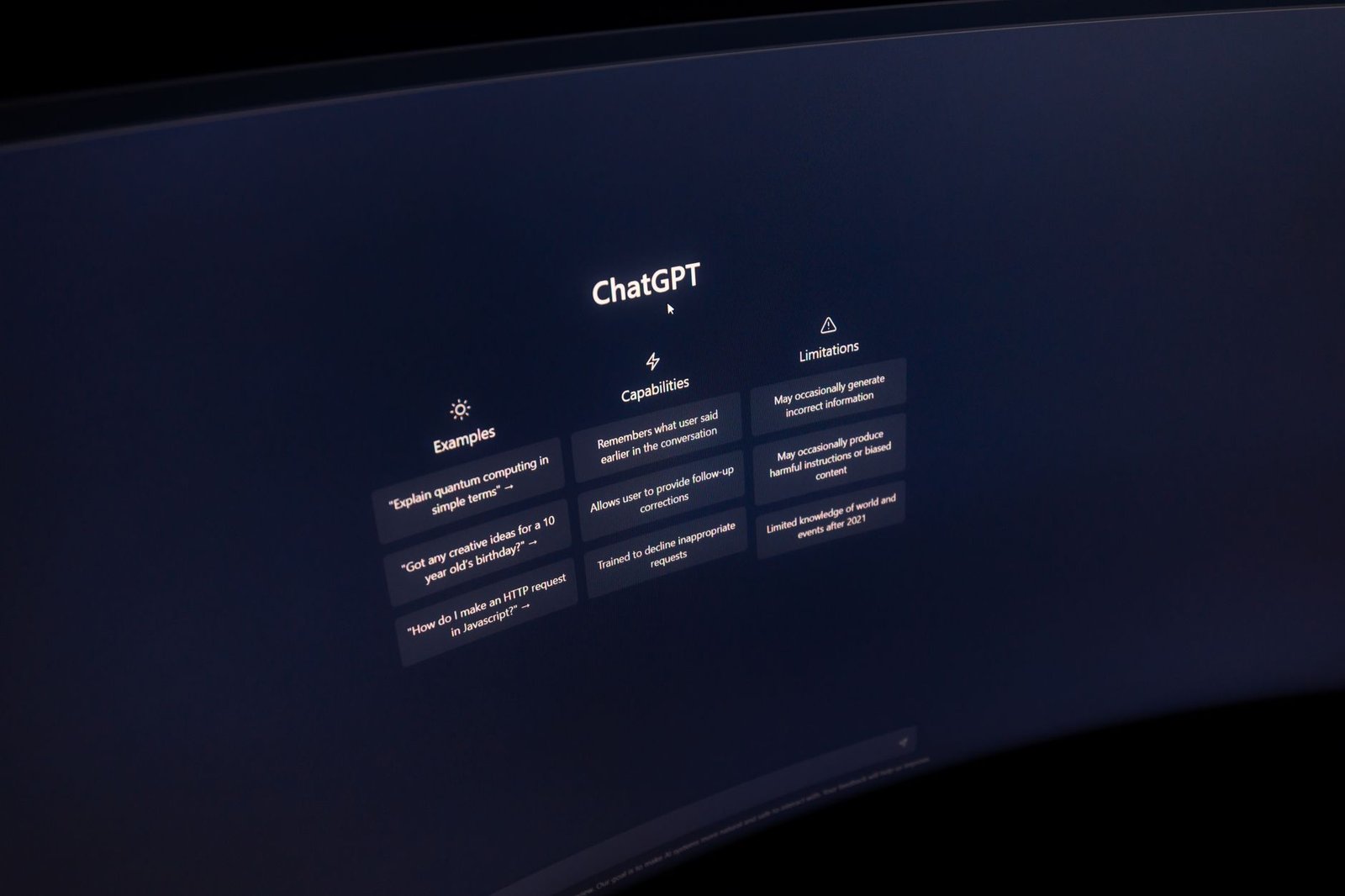
Most "Next.js AI chatbot tutorial" posts stop at a text box and a streaming reply. That is the easy 20%. The moment a real user asks "where's the nearest office?" or "what's the weather where I am?", your chatbot needs to do something the model cannot do on its own: call a tool, get live data, and fold the result back into the same stream the user is already reading.
I build AI automation for clients across Bangladesh, the US, Australia and the UK, and this streaming tool-call loop is the exact pattern I reach for. In this Next.js AI chatbot tutorial I will show you how to wire up the App Router, the Vercel AI SDK's useChat hook, and a tool that resolves location, with the boring-but-critical parts (input validation, error handling, rate limiting) that nobody puts in the demo.
Let me be upfront about one thing: the AI SDK moves fast. This tutorial targets AI SDK v4 (ai@4.x / @ai-sdk/react@1.x), and the request/response shapes below are the ones in the live docs at the time of writing. If a flag or import has shifted by the time you read this, check the Vercel AI SDK docs, because the concepts hold even when an import path changes.
What you are actually building
A chatbot that:
- Streams responses token by token in the App Router.
- Exposes a
getLocationContexttool the model can call when a question depends on where the user is. - Validates every request before it touches your API key.
- Handles errors without dumping a stack trace into the chat.
- Rate limits so one bored visitor cannot burn your OpenAI budget.
That is a small enough scope to finish in an evening and real enough to ship.
Prerequisites
- Node 18.18+ and a Next.js 14/15 project using the App Router.
- An OpenAI (or compatible) API key. Groq and other providers work with the same SDK.
- Basic comfort with React Server Components vs Client Components. If that still feels fuzzy, the mental model is: your chat UI is a client component, your API route is a server route handler. For a deeper look at how RSC and streaming interact with what actually gets indexed, see the Next.js RSC streaming guide.
Step 1: Install and scaffold
npx create-next-app@latest ai-location-chat --typescript --app --tailwind
cd ai-location-chat
npm install ai@^4 @ai-sdk/openai@^1 @ai-sdk/react@^1 zod
The ai package is the core SDK. @ai-sdk/openai is the provider. @ai-sdk/react ships the useChat hook in v4. zod is not optional in my book: it is how you keep a malformed request from becoming a 500 and a support ticket.
Step 2: The route handler with a tool
Create app/api/chat/route.ts. This is the heart of the build.
import { openai } from '@ai-sdk/openai';
import { streamText, tool } from 'ai';
import { z } from 'zod';

export const maxDuration = 30;

// A proper message schema: role + content, not z.any().
const messageSchema = z.object({
  role: z.enum(['user', 'assistant', 'system']),
  content: z.string().min(1).max(8000),
});

const bodySchema = z.object({
  messages: z.array(messageSchema).min(1).max(50),
});

export async function POST(req: Request) {
  let body: unknown;
  try {
    body = await req.json();
  } catch {
    return new Response('Invalid JSON', { status: 400 });
  }

  const parsed = bodySchema.safeParse(body);
  if (!parsed.success) {
    return new Response('Bad request', { status: 400 });
  }

  const result = streamText({
    model: openai('gpt-4o-mini'),
    system:
      'You are a helpful assistant. If a question depends on the user location, call getLocationContext first. Never guess coordinates.',
    messages: parsed.data.messages,
    maxTokens: 800,
    tools: {
      getLocationContext: tool({
        description: 'Get the city, country and local time for a coordinate pair.',
        parameters: z.object({
          lat: z.number().min(-90).max(90),
          lng: z.number().min(-180).max(180),
        }),
        execute: async ({ lat, lng }) => {
          // Real reverse-geocode call (OpenStreetMap Nominatim, no key needed).
          // Swap for your provider of choice; keep the timeout short.
          const url = new URL('https://nominatim.openstreetmap.org/reverse');
          url.searchParams.set('lat', String(lat));
          url.searchParams.set('lon', String(lng));
          url.searchParams.set('format', 'jsonv2');

          try {
            const res = await fetch(url, {
              headers: { 'User-Agent': 'ai-location-chat/1.0 (you@example.com)' },
              signal: AbortSignal.timeout(4000),
            });
            if (!res.ok) throw new Error(`geocode ${res.status}`);
            const data = (await res.json()) as {
              address?: { city?: string; town?: string; country?: string };
            };
            return {
              lat,
              lng,
              city: data.address?.city ?? data.address?.town ?? 'Unknown',
              country: data.address?.country ?? 'Unknown',
              localTime: new Date().toISOString(),
            };
          } catch {
            // Fail soft: tell the model the lookup failed rather than throwing.
            return { lat, lng, city: null, country: null, error: 'geocode_failed' };
          }
        },
      }),
    },
    maxSteps: 5,
  });

  return result.toDataStreamResponse();
}
A few things worth calling out, because they are where tutorials usually lie to you:
toDataStreamResponse()is the v4 helper that makes tool calls stream to the client. If you returnresult.toTextStreamResponse()you lose the tool-call events and the client cannot render the "calling tool" state.maxStepscontrols how many model round-trips happen after a tool result comes back. Without it you can get a tool call and no follow-up answer. Five is a sane ceiling for a chatbot.maxTokenscaps the completion length. Without it a runaway generation can quietly cost you real money.- The message schema is explicit (
role+content) rather thanz.any(). That rejects junk payloads and keeps the model from receiving fields it should not see. - The
executefunction runs on the server. The model never sees your API keys, only the returned object.
Note: the AI SDK has been evolving its streaming API. In v5 the recommended helper is
toUIMessageStreamResponse()(paired withuseChatand the newer message/parts model), whiletoDataStreamResponse()is the v4 data-stream helper used here. Pick one helper and stick to the version it belongs to, check the streaming docs for the exact helper your installed version expects. The tool-call streaming behavior is the same either way.
Why the tool, and not just the browser's geolocation
You could grab navigator.geolocation on the client and stuff coordinates into the system prompt. I have done that. It works until the user denies permission, or you want the model to decide whether location even matters. Letting the model call a tool keeps the logic in one place, keeps the prompt clean, and means a question like "explain closures" never triggers a location lookup. Tool calling is the difference between a chatbot and a form with extra steps.
Step 3: The client with useChat
Now the UI. app/page.tsx is a client component because useChat is a hook.
'use client';

import { useChat } from '@ai-sdk/react';

export default function Chat() {
  const { messages, input, handleInputChange, handleSubmit, status, error } =
    useChat({ api: '/api/chat' });

  return (
    <main className="mx-auto flex h-dvh max-w-2xl flex-col p-4">
      <div className="flex-1 space-y-4 overflow-y-auto">
        {messages.map((m) => (
          <div key={m.id} className={m.role === 'user' ? 'text-right' : ''}>
            <p className="whitespace-pre-wrap">{m.content}</p>
            {m.toolInvocations?.map((t) => (
              <p key={t.toolCallId} className="text-xs text-gray-500">
                {t.state === 'result' ? 'location resolved' : 'looking up location…'}
              </p>
            ))}
          </div>
        ))}
        {error && <p className="text-red-600">Something went wrong. Try again.</p>}
      </div>

      <form onSubmit={handleSubmit} className="flex gap-2 pt-4">
        <input
          value={input}
          onChange={handleInputChange}
          placeholder="Ask something…"
          className="flex-1 rounded border px-3 py-2"
        />
        <button
          type="submit"
          disabled={status === 'streaming' || status === 'submitted'}
          className="rounded bg-black px-4 py-2 text-white disabled:opacity-50"
        >
          Send
        </button>
      </form>
    </main>
  );
}
That is the whole Vercel AI SDK useChat example in miniature. The toolInvocations array is what makes streaming tool calls visible: you can render a spinner while state is 'call' and swap it for the result when it flips to 'result'. Users love seeing the bot "go do something" instead of staring at a frozen screen. For smoother pending states, pair useChat's status flags with React 19's useOptimistic and useFormStatus, the React docs on useOptimistic are a good starting point.
Note:
useChathistorically shipped fromai/reactand now lives in the@ai-sdk/reactpackage in current versions. If your import fails, check which package your installed SDK version expects.
Step 4: Harden it before someone else finds the holes
This is the section the SERP is missing. Every tutorial shows the happy path; production is the sad path.
Rate limiting
A naive chatbot endpoint is a free OpenAI proxy for anyone who finds the URL. Add a limiter.
const hits = new Map<string, { count: number; reset: number }>();

function limited(ip: string) {
  const now = Date.now();
  const entry = hits.get(ip) ?? { count: 0, reset: now + 60_000 };
  if (now > entry.reset) {
    entry.count = 0;
    entry.reset = now + 60_000;
  }
  entry.count += 1;
  hits.set(ip, entry);
  return entry.count > 20; // 20 messages per minute per IP
}
This in-memory limiter is dev-only. It resets on every deploy, is not shared across serverless instances, and will happily let traffic through on a multi-region deployment. For production, use a shared store: Upstash Redis (@upstash/ratelimit) or your host's KV (e.g. Vercel KV) both give you a sliding-window limiter that actually holds under load.
Call it at the top of your POST handler and return a 429 when it trips. Getting the client IP right matters too: x-forwarded-for is spoofable, a client can send it themselves. Only trust it if your deployment sits behind a proxy that overwrites it, and prefer your platform's trusted header instead (e.g. x-real-ip on many hosts, or Vercel's x-vercel-forwarded-for). If you cannot guarantee a trusted header, rate limit by authenticated user id rather than IP.
Input validation and token control
The zod parse above caps the message array at 50 and each message at 8,000 characters. That matters: an attacker can send a 500-message history and you pay for every token. Trim old messages to the last N before sending, and keep maxTokens set on the model call. Your wallet will thank you. When parsing provider responses or third-party geocode payloads, use a type guard or schema parse rather than casting as any, the TypeScript narrowing docs cover the underlying pattern.
Prompt injection
If you ever feed user data or scraped content into the prompt, treat it as hostile. Keep tool execute functions narrow (the coordinate validator above is a good pattern) and never let a tool call a shell or an arbitrary URL based on model output. I have seen a "helpful" tool that fetched any URL the model chose. That is an SSRF bug wearing a party hat.
Provider tradeoffs
You are not locked into OpenAI. The same SDK talks to several providers, and the choice affects latency and cost more than most people expect.
| Provider | Model example | Strength | Watch out for |
|---|---|---|---|
| OpenAI | gpt-4o-mini | Reliable tool calling, broad docs | Cost adds up at scale |
| Groq | llama-3.3-70b | Very fast streaming | Tool-call support varies by model |
| Cohere | command-r | Good RAG behavior | Different tool schema quirks |
| Anthropic | Claude Sonnet | Strong reasoning, long context | Separate provider package |
My default for a client chatbot is a small, fast OpenAI model for the chat loop and a bigger model only for the hard sub-tasks. Start cheap, measure, upgrade the one step that actually needs it.
Step 5: Deploy checklist
Before you point a client at it:
- Set
OPENAI_API_KEYas an environment variable. Never in the client bundle. - Keep
maxDurationrealistic for your plan (serverless functions time out). - Add
export const runtime = 'edge'only if your tool code is edge-compatible. Reverse-geocode SDKs often are not. - Test with the network tab open: confirm the stream is
text/event-streamand tool events arrive. - Add basic logging on the server for errors, not for full message bodies (privacy).
If your chatbot needs to answer from your own docs, that is a retrieval problem, not a chat-UI problem, pair this build with a search layer over your content once the chat loop is stable.
FAQ
Do I need the App Router for this?
No, but it is where the AI SDK is best supported. The route handler pattern here does not exist in the Pages Router, so if you are on Pages you will be adapting more than copying. For new projects, start in the App Router.
Can I persist chat history?
Yes. The messages array is just JSON. Save it to Postgres (Prisma is fine) keyed by session or user id, then load it into useChat's initialMessages. Add auth before you do this, or every visitor shares one history.
Why does my tool call return nothing?
Usually maxSteps is missing, so the model calls the tool and then stops without a follow-up. Set maxSteps to 3 or more, and make sure you are returning the streaming response helper (toDataStreamResponse() or the current equivalent), not a text stream.
Is this expensive to run?
A small model, capped maxTokens, and a message-history limit keep it cheap for a support bot. The cost that bites is unauthenticated abuse, which is exactly why the rate limiter is not optional.
Wrap-up
You now have a chatbot that streams, calls a tool for live location data, validates its input, and does not hand your API key to the first script kiddie who finds the endpoint. That is a real foundation, not a demo. From here the obvious next moves are persistence, auth, and retrieval over your own content.
If you want this built properly for your product, get in touch through the contact page and tell me what you are trying to build.
Frequently asked questions
What is the easiest way to build an AI chatbot in Next.js?
Use the Vercel AI SDK with the App Router. Create a route handler that calls streamText and returns a streaming response (toDataStreamResponse, or the current equivalent), then render the chat with the useChat hook in a client component. That gets you a working streaming chatbot in under an hour.
How do streaming tool calls work in the Vercel AI SDK?
You define tools with a description and a zod parameters schema plus an execute function. When the model decides to call one, the SDK streams the tool invocation to the client, runs execute on the server, sends the result back to the model, and continues the stream. Set maxSteps so the model produces a follow-up answer after the tool result.
How do I stop people from abusing my Next.js chatbot API?
Validate the request body with zod, cap the message history length, add per-IP rate limiting backed by a shared store like Upstash Redis or Vercel KV, set maxTokens, and keep your API key server-side only. For anything public, put the endpoint behind auth or a captcha as well.
Can I use a location-aware chatbot for a local business site?
Yes, and it is a strong fit. A tool that resolves the visitor's city or nearest branch lets the bot answer "where are you?" and "what are your hours near me?" without hardcoding every location in the prompt. Just make sure the tool validates coordinates and never fetches arbitrary URLs from model output.